

Add your own connector
Add custom connectors and extend coverage while keeping authentication and authorization in Scalekit.
Add your own connector when the API or MCP server you need is not available in Scalekit’s built-in catalog — custom connectors support any SaaS API, partner system, internal API, or remote MCP server while keeping authentication, authorization, and secure API access in Scalekit. Once the connector is created, you use the same flow as other connectors: create a connection, create or fetch a connected account, authorize the user, and perform tool calling.
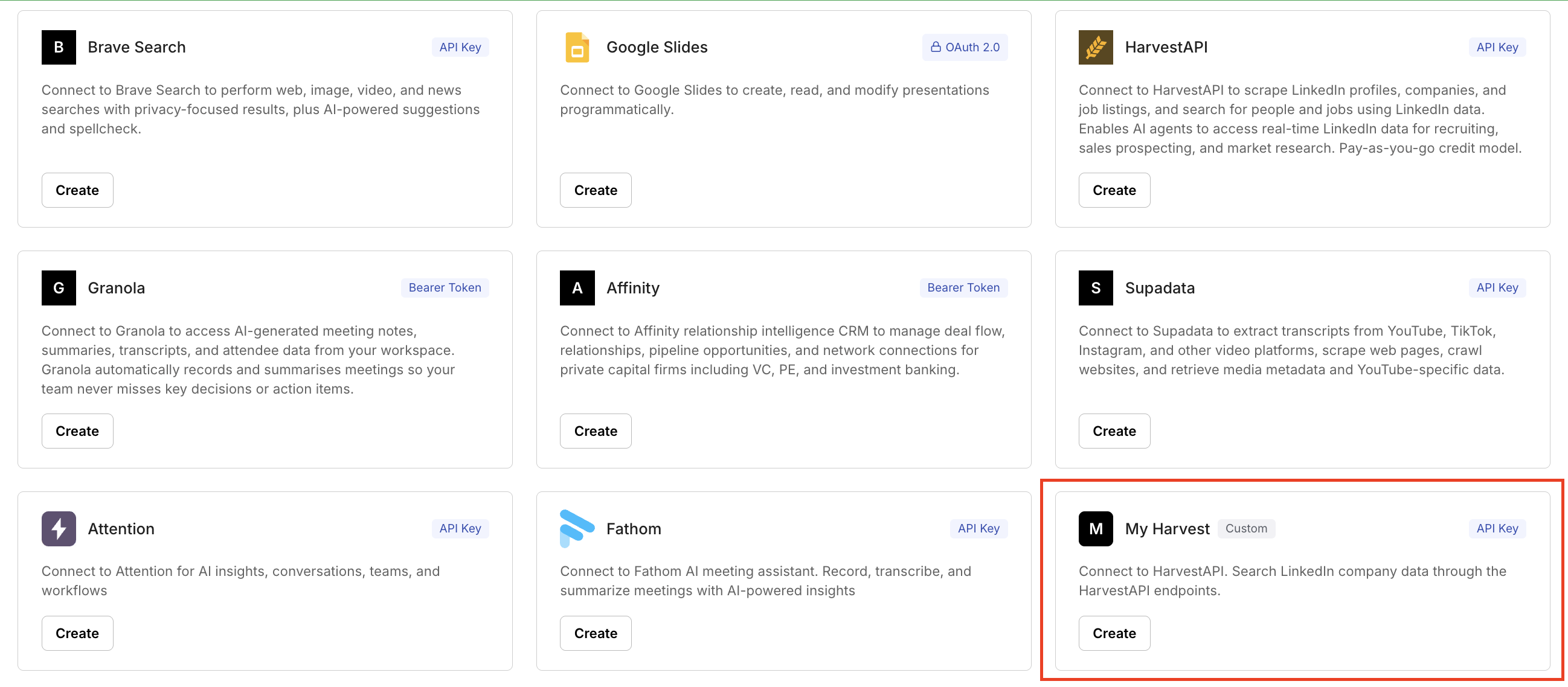
Custom connectors appear alongside built-in connectors when you create a connection in Scalekit:
Why add your own connector
Section titled “Why add your own connector”Adding your own connector lets you:
- Extend beyond the built-in connector catalog without inventing a separate auth stack
- Bring unsupported SaaS APIs, partner systems, internal APIs, and remote MCP servers into the same secure access model
- Reuse connections, connected accounts, and user authorization instead of building one-off auth plumbing
- Keep credential handling, authorization, and governed API access centralized in Scalekit
- Move from connector definition to live upstream calls through Tool Proxy (REST) or tool calling (MCP) using the same runtime model as other integrations
How adding your own connector works
Section titled “How adding your own connector works”Adding your own connector uses the same model as built-in connectors:
- Create a connector definition
- Create a connection in Scalekit Dashboard
- Create a connected account and authorize the user
- Call tools — via Tool Proxy (
actions.request()) for REST API connectors, or via MCP tool calling for MCP connectors
Creating the connector definition tells Scalekit how to authenticate to the upstream API or MCP server. After that, connections, connected accounts, user authorization, and the call runtime work the same way as they do for built-in connectors.